OPTIMIZE YOUR
PROMPTS
RIGHT IN CHATGPT
Turn basic prompts into professional ones without leaving your workflow. Native integration with ChatGPT, Gemini, Claude, DeepSeek, Copilot, and Perplexity. With one click, apply advanced prompt engineering techniques.
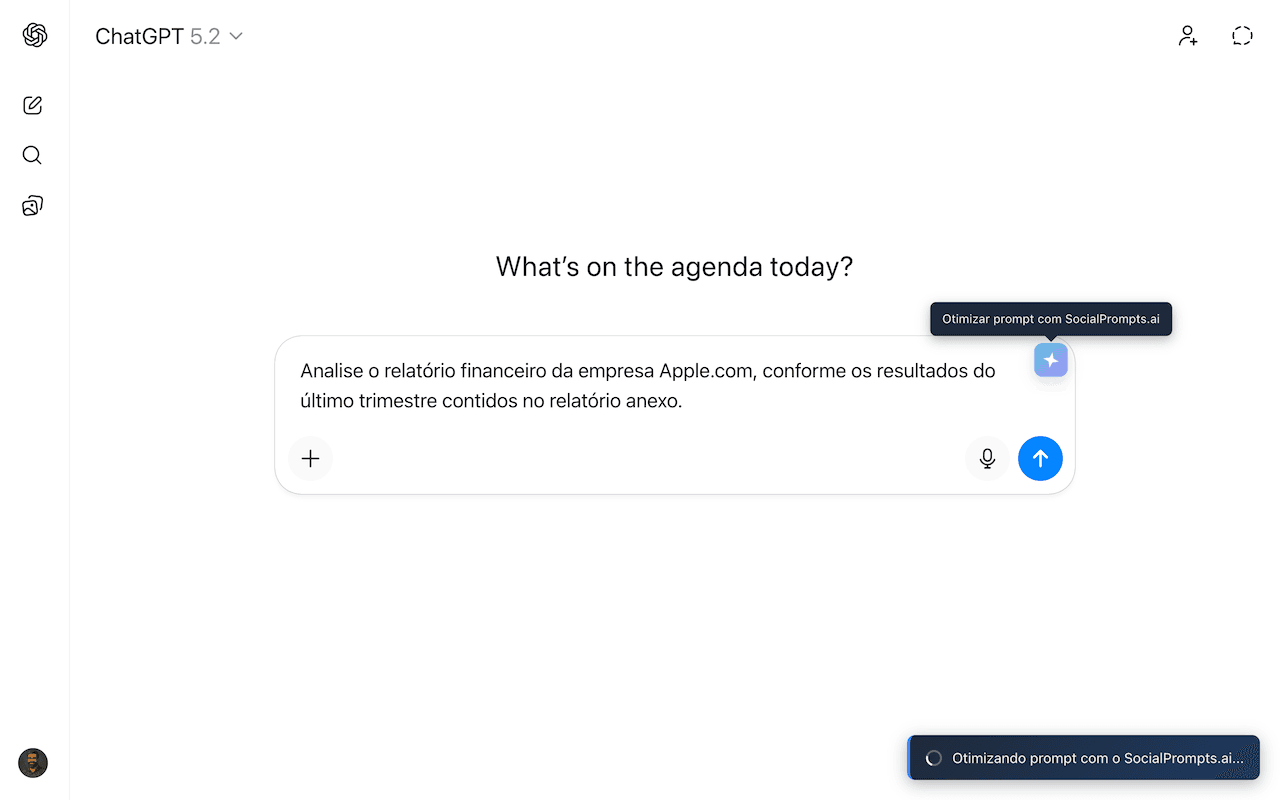
"Optimize" button appears next to the text field
WHY USE THE EXTENSION
Integrate the power of Social Prompts directly into your workflow
Optimize without leaving the chat
Click "Optimize" next to the text field and watch the magic happen. Your prompt is transformed instantly.
Library always accessible
Access your saved prompt library at any time, without opening another tab.
Complete workflow
Optimize, save, and organize your prompts in a continuous flow. Everything integrated with your account.
SEE IT IN ACTION
Explore all the extension features
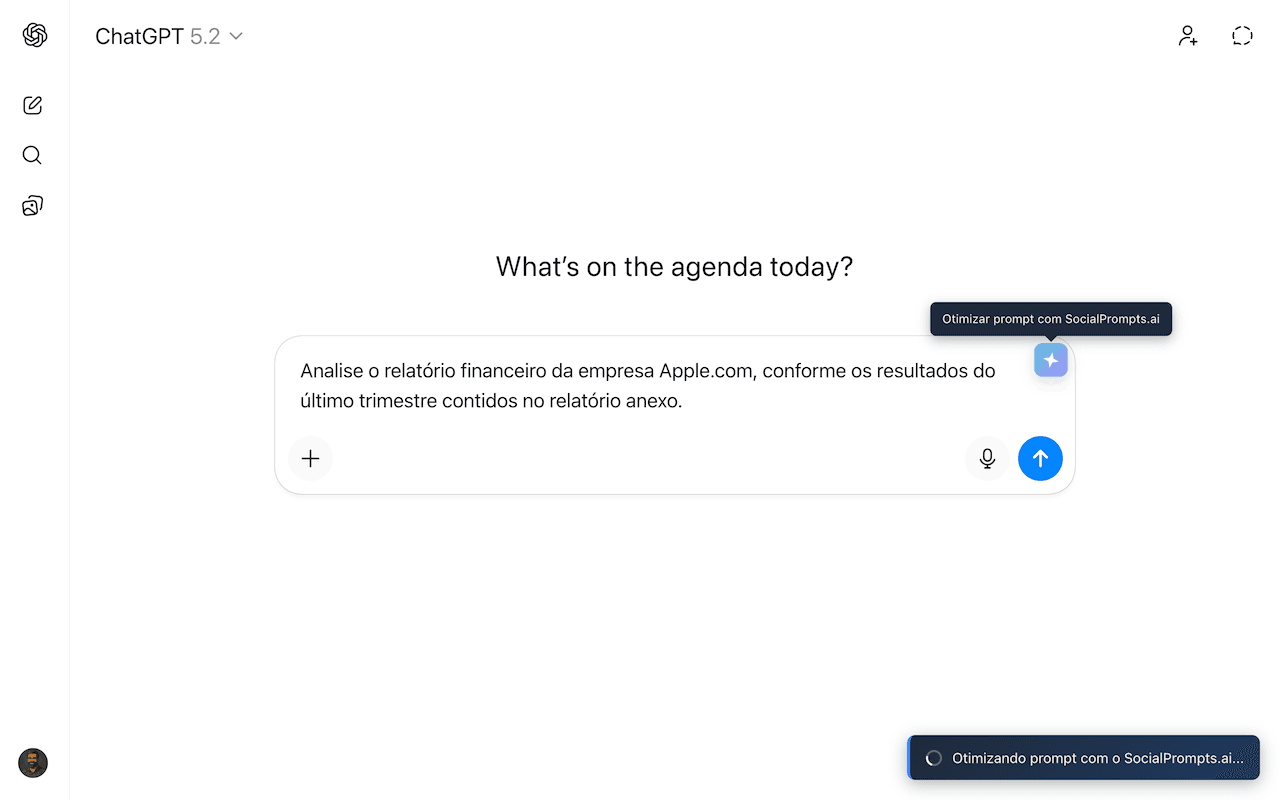
Optimize with 1 click
"Optimize" button appears next to the text field on ChatGPT, Gemini, Claude, DeepSeek, Copilot, and Perplexity
COMPATIBILITY
Works on all Chromium-based browsers
Google Chrome
OfficialClick "Install Extension" then "Add to Chrome".
Microsoft Edge
CompatibleVisit Chrome Web Store from Edge and click "Add". Edge supports Chrome Store extensions.
Brave
CompatibleVisit Chrome Web Store from Brave and click "Add to Brave".
Also works on: Opera, Vivaldi, Arc, and other Chromium browsers
START OPTIMIZING
YOUR PROMPTS NOW
Install the free extension and experience the difference of using professional prompts
Install Extension - Chrome Web StoreWorks on Chrome, Edge, Brave, and other Chromium browsers